Awesome Traffic Bot vs CTRTool: CTR Campaign Targeting and Proof
You are comparing Awesome Traffic Bot and CTRTool, and the decision hinges on targeting and proof. Both promise automated visits, but only one shows you a screenshot of every click. Choosing wrong means paying for traffic you cannot verify.
This comparison covers how each tool targets Google Search, Bing, Maps and AI Overviews, which device and location controls you actually get, and how screenshots and position tracking differ. By the end you will know which tool fits your campaigns and why.
Quick Verdict: Awesome Traffic Bot vs CTRTool
CTRTool is the stronger pick when verifiable proof and multi-surface CTR campaigns matter, while Awesome Traffic Bot appeals to users who want a general-purpose traffic automation toolkit. CTRTool is built specifically for CTR campaigns, pairing every visit with screenshot proof across Google Search, Bing Search, Maps and AI Overviews. Awesome Traffic Bot is commonly described as a broader automation tool, and its exact feature set and pricing are best confirmed on the vendor's own site.
The difference comes down to accountability and campaign focus. CTRTool shows search and landing screenshots as separate proof images for each visit, alongside full visit paths and keyword positions tracked over time, including Maps listing order and AI citation order. That evidence trail is what separates a CTR campaign you can audit from one you simply hope worked.
Awesome Traffic Bot is generally discussed in the context of traffic bot software, where proxy rotation, user agent spoofing and automation scripts are common talking points. Those capabilities can suit general traffic tasks, but they are not framed around proving a specific keyword visit on a specific search surface.
| Aspect | CTRTool | Awesome Traffic Bot |
|---|---|---|
| Core focus | CTR campaigns with per-visit proof | General-purpose traffic automation, as commonly described |
| Proof of traffic | Screenshot proof for every visit, search and landing images separate | Not specified in verified information |
| Search surfaces | Google Search, Bing Search, Maps and AI Overviews | Not specified in verified information |
| Position tracking | Keyword positions over time, including Maps order and AI citation order | Not specified in verified information |
| Billing model | Pay for results, no credits charged for technical failures before landing | Not specified in verified information |
Choose CTRTool if your priority is CTR campaign targeting with auditable proof on search and AI surfaces. Consider Awesome Traffic Bot only if a general automation toolkit matches your goal and you have verified its current capabilities directly.
At a glance: how CTRTool compares to Awesome Traffic Bot on the features that matter most.
| Feature | CTRTool | Awesome Traffic Bot |
|---|---|---|
| Pricing | $59/mo (Starter) | From $24.90/mo |
| Free plan / trial | ✗ | 1-day trial |
| AI-powered campaign automation | ✗ | ✓ |
| Built-in proxy / IP rotation | ✗ | ✓ |
| Visual workflow editor | ✗ | ✓ |
| Captcha solving | ✗ | ✓ |
| Screenshot proof per visit | ✓ | — |
| Pay-per-result credit model | ✓ | — |
What Is CTRTool?
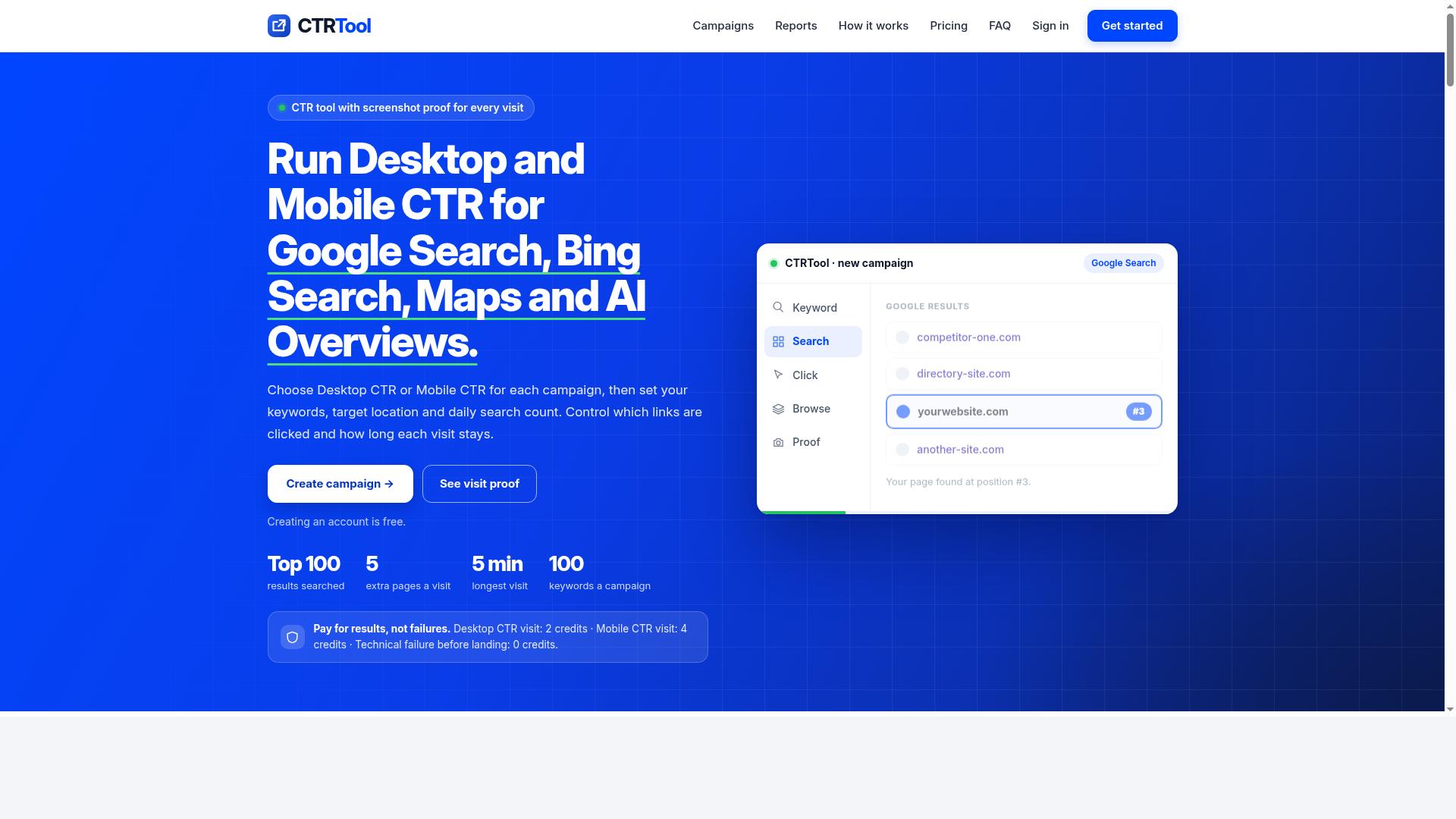
CTRTool is a SaaS CTR campaign tool that runs Desktop and Mobile click campaigns for Google Search, Bing Search, Maps and AI Overviews, with screenshot proof attached to every visit. It is built for teams that want their CTR campaign targeting handled in one place rather than stitched together from separate scripts.
The platform covers the surfaces where click-through rate signals matter most for search engine optimization. Users pick Desktop CTR or Mobile CTR per campaign, so device mix stays under deliberate control instead of defaulting to a single profile.
Targeting is global. A campaign can point at a chosen country, with optional state or city narrowing when a business serves a tighter area. That structure supports geo-targeting without extra tooling.
Each campaign can be limited to the top 100 results for its keywords, keeping visits inside the pages that realistically compete for the query. Every visit also produces a screenshot, giving teams a verifiable record of activity for reporting and internal review.
It is worth noting the site states plainly that automated visits do not guarantee rankings. CTRTool is a campaign and proof layer, not a promise of position changes.
What Is Awesome Traffic Bot?
Awesome Traffic Bot is generally described as a desktop traffic-generation application that simulates visits using proxy rotation and configurable browser settings. It is widely discussed in SEO and marketing circles as a tool for sending automated sessions to a chosen URL.
Users typically associate it with a set of automation controls that shape how each simulated visit appears. Reports and user discussions suggest the following capabilities are commonly linked to it:
- Proxy rotation to vary the apparent source IP across visits
- User agent controls to change the browser identity presented to a site
- Referrer settings to define where a visit appears to originate
- Scheduling options for spreading activity across time windows
These features are described in general terms because public information about the tool varies and specific configurations may differ between builds. The core idea is organic traffic simulation from a local machine.
It is worth noting that a desktop application of this kind runs from the user's own computer, so results depend heavily on the user's setup, proxy sources, and settings. This section only establishes the baseline. The targeting and proof aspects are examined in the sections that follow.
Targeting Compared: Search, Maps and AI Overviews
The two tools differ most in where they can place a click: CTRTool is purpose-built for search, Maps and AI Overview surfaces, while Awesome Traffic Bot is a broader traffic simulator. CTRTool names four campaign surfaces: Google Search, Bing Search, Google Maps and AI Overviews.
Each surface carries its own eligibility rule. Search campaigns require the target page to rank within the top 100 organic results for the chosen keyword and location. Maps campaigns check up to 50 listings, and AI Overview campaigns need a matching citation before a click can be placed.
Awesome Traffic Bot is described generally as URL and keyword driven. Public descriptions do not claim equivalent coverage of Maps listings or AI Overview citations, so treat any surface parity as unconfirmed.
The two subsections below break this down: first the location and device controls that shape who appears to click, then the coverage limits that decide which campaigns are even possible.
Location and Device Targeting Controls
CTRTool lets you pick Desktop CTR or Mobile CTR per campaign and narrow the target to a country, state and city, or leave it as 'Any country' for a mixed location set. That structure maps directly onto how a real search session looks, since device and location both change the results a user sees.
Delivery backs up the targeting. Clicks run through Desktop Chrome windows and real Android phone sessions, matched to the target location through managed proxy routes. In practice, a mobile campaign aimed at one city is served by phone sessions tied to that geography rather than a desktop browser pretending to be elsewhere.
Awesome Traffic Bot typically offers proxy-based geo selection, according to general descriptions of the tool. The specifics of its menus, location granularity and device handling are not documented in a way that supports a like-for-like comparison, so treat its controls as broadly similar in intent but unverified in scope.
A practical tip: match device type to the query's dominant device. Local service searches skew mobile, while many B2B and research queries skew desktop. Running both is reasonable, but the split should reflect the keyword rather than a default 50/50 habit.
Location deserves the same care. City-level targeting suits local Maps campaigns, while broad national keywords may be better served by the 'Any country' option so the location mix stays varied. CTRTool also records country, state and city data via the CountryStateCity package under the Open Database License 1.0, which keeps the location list consistent.
Keyword and Listing Coverage Limits
Coverage limits decide which campaigns are even possible. CTRTool applies clear eligibility rules per surface, and a campaign that fails them will not run as intended. The rules are worth checking before you build anything.
- Google and Bing Search: the page must appear within the top 100 organic results for the chosen keyword and location.
- Google Maps: campaigns check up to 50 listings, roughly five pages of results.
- AI Overviews: the site needs a matching source link in the overview, and citation order is tracked.
These limits are a feature, not a restriction. They keep click-through rate manipulation pointed at pages that already have a real position to defend, which is the scenario where CTR campaign targeting makes sense. Reports then show keyword positions over time, including Maps listing order and AI citation order.
Awesome Traffic Bot's coverage depends on how the user configures keywords and URLs. Public material does not state hard surface limits, so its practical reach is best treated as configuration-dependent rather than guaranteed.
The takeaway: plan campaigns around pages that already rank. Check the top-100 position, confirm the Maps listing sits inside the first 50, and verify the AI Overview citation exists before spending balance. CTRTool states plainly that it does not guarantee higher rankings, leads or sales, so eligibility checking is the honest first step of any campaign.
Proof and Reporting Compared
Proof is where the two tools diverge sharply: CTRTool ships screenshot evidence with every visit, whereas Awesome Traffic Bot's reporting is generally described as log- and analytics-based. For agencies billing clients for CTR campaign work, verifiability is not a nice extra. It is the difference between a report a client accepts and a report they question.
A summary count of visits tells a client what you claim happened. Evidence tells them what they can check. That gap matters most when a client asks how a ranking movement was earned, or when an internal stakeholder wants to see the activity behind an invoice line.
CTRTool's core promise is screenshot proof for every visit, paired with full visit paths. Awesome Traffic Bot is commonly described as providing statistics and logs rather than per-visit screenshots. That is a description of how it is generally discussed, not a verified specification, so treat it as a starting point for your own evaluation.
The two subsections below cover the mechanics of that proof and the way position tracking supports it over time.
Screenshot Proof and Full Visit Paths
With CTRTool, each visit produces separate search and landing screenshots plus the full path taken, giving clients an auditable record rather than a summary count. The search screenshot and the landing screenshot are two distinct proof images, so the record shows both the query context and the page that was reached.
That structure makes client reporting straightforward. You can attach the evidence to a monthly report and let the client see the search and landing activity directly, without translating raw numbers into a narrative they have to take on trust.
The full visit path adds another layer. Rather than a single captured moment, the record shows how the visit progressed, which is useful when a client wants to understand the shape of the activity rather than just its volume.
Awesome Traffic Bot's evidence model is generally described in different terms. Users typically rely on its internal logs and traffic analytics to confirm activity, which can work well for internal review but is less direct to hand to a client as standalone proof. This is a general description rather than a verified spec, so confirm the details yourself before relying on it.
Position Tracking Over Time
CTRTool tracks keyword positions over time, including Maps listing order and AI citation order, so campaign effects can be read as a trend rather than a single snapshot. That longitudinal view is a reporting feature in its own right, and it pairs naturally with the per-visit screenshots described above.
A trend line answers the question clients actually ask: is this moving, and in which direction? A single position reading cannot do that, because normal SERP ranking fluctuation can make any one measurement misleading.
For Awesome Traffic Bot, position tracking is not commonly cited as a headline feature. That does not mean it is unavailable, only that it is not the capability the tool is usually discussed for, so verify against current documentation if trend reporting matters to your workflow.
One practical step applies whichever tool you use: record a baseline position before starting a campaign. Without a starting point, later readings have nothing to be compared against, and the trend becomes impossible to interpret. Note the keyword, the date, and the observed position for each target before the first visit runs.
Pricing Compared
CTRTool publishes monthly USD plans tied to credits, Starter at $59/month for 2,000 credits and Growth at $125/month for 5,000 credits, where 1,000 credits buy up to 1,000 Desktop or 500 Mobile CTR visits. The full lineup scales up from there, giving campaigns room to grow without changing tools.
| Plan | Monthly Price | Credits | Desktop Visits | Mobile Visits |
|---|---|---|---|---|
| Starter | $59 | 2,000 | Up to 1,000 | Up to 500 |
| Growth (Recommended) | $125 | 5,000 | Up to 2,500 | Up to 1,250 |
| Scale | $399 | 20,000 | Up to 10,000 | Up to 5,000 |
| Agency | $699 | 40,000 | Up to 20,000 | Up to 10,000 |
The credit-to-visit math is straightforward once you know the rates. A Desktop CTR visit costs 2 credits, a Mobile CTR visit costs 4 credits, and a verified search without a match costs 1 credit. A technical failure before landing costs 0 credits, so failed attempts do not eat into your budget.
To compute cost per visit, divide the plan price by the visits it covers. On Starter, 1,000 Desktop visits work out to roughly $0.06 each, while 500 Mobile visits land near $0.12. Growth brings the Desktop figure down to about $0.05 per visit, and Mobile to roughly $0.10.
Two billing details matter for planning. Unused credits roll over while your subscription is active and expire when cancellation takes effect, so quiet months are not wasted. Creating an account is free, and custom development carries a separate one-time fee agreed in advance.
CTRTool also notes that prices rise 30% on November 15 under its limited launch pricing, so locking in a plan earlier protects your rate. Awesome Traffic Bot's pricing is not covered here and should be checked on its own site, since plans and terms can change.
Choose a plan by monthly visit volume. Match your expected Desktop and Mobile mix against the credit rates above, then pick the tier that covers it with a small buffer. Heavy mobile targeting consumes credits twice as fast, so factor that into the comparison before committing.
Who Should Choose CTRTool
CTRTool fits SEO practitioners and agencies who need to show clients evidence of every visit and who campaign across Google Search, Bing Search, Maps and AI Overviews. The platform is built around proof of traffic, so the deliverable is not just a report of clicks sent but a record a client can review.
Teams that run campaigns on behalf of client sites get the most value here. A monthly client report often needs screenshot proof and the full visit path, and CTRTool's focus on documenting each visit supports that requirement directly.
Several concrete scenarios point to CTRTool:
- Client reporting: an agency must attach proof images and visit paths before an invoice is approved.
- Maps listing push: a local business wants activity aimed at its Google Maps presence, not only its organic results.
- AI Overview citation test: a team wants to observe how a page behaves when cited in AI Overviews.
- Multi-surface campaigns: Desktop or Mobile targeting lets a team match the device its audience actually uses.
Because CTRTool covers Google Search, Bing Search, Maps and AI Overviews in one place, agencies avoid stitching together separate tools for each surface. That consolidation matters when a client asks a single question about campaign targeting across several channels.
Who Should Choose Awesome Traffic Bot
Awesome Traffic Bot is generally a better fit for users who want a broad, configurable traffic-automation toolkit rather than a proof-first CTR campaign platform. These users are typically hands-on and comfortable working with proxies, browser settings, and automation scripts.
They may be experimenting with organic traffic simulation across arbitrary URLs, testing how proxy rotation, user agent spoofing, or referrer spoofing behave in different setups. For them, flexibility matters more than documented campaign evidence.
By contrast, agencies focused on verifiable CTR campaign targeting and proof of traffic are usually better served by a platform built around reporting and campaign records.
Final Verdict
For teams that must prove results, CTRTool wins on verifiability-screenshot proof for every visit, full visit paths, and position tracking across Search, Maps and AI Overviews-while Awesome Traffic Bot remains a general-purpose alternative.
That distinction matters more than any feature checklist. CTR campaign targeting is only useful when you can show what happened after a click, and CTRTool is built around that evidence trail. Awesome Traffic Bot may suit users who want broad traffic bot software for general use, but the comparison here is narrower: which tool helps you document a campaign.
CTRTool's advantages in this comparison are concrete. Screenshot proof accompanies each visit, full visit paths show how a session unfolded, and position tracking covers Search, Maps and AI citation order. Those outputs feed directly into traffic analytics and real-time reporting, which is what makes the tool credible for search engine optimization work where proof of traffic is the deliverable.
The hedged view of Awesome Traffic Bot stays the same as throughout this article. It is a capable general-purpose option, and some teams may find its broader scope appealing. What it does not appear to center on, based on publicly available information, is the same emphasis on documented, per-visit evidence that CTRTool provides.
Two closing rules of thumb:
- Choose CTRTool if your campaigns need screenshot proof, full visit paths, and position tracking across Search, Maps and AI Overviews, and if you report results to clients or stakeholders who ask for evidence.
- Choose Awesome Traffic Bot if you want a general-purpose traffic tool and per-visit documentation is not a priority for your workflow.
For questions about CTRTool, the published support contact is vaibhav@autoblogging.ai, and the official site is https://ctrtool.com. No phone number or physical address is published, so email and the site's Support page are the stated channels.
Frequently Asked Questions
What is the main difference between CTRTool and Awesome Traffic Bot?
CTRTool is built around proof: every campaign visit comes with search and landing screenshots as separate proof images, plus full visit paths and keyword position tracking over time. Awesome Traffic Bot is an AI-powered CTR bot that has integrated OpenAI ChatGPT 4.0 into its AI mode. If verifiable evidence of each visit matters to you or your clients, CTRTool's screenshot-based reporting is the key differentiator.
Which search platforms and campaign types does CTRTool support?
CTRTool runs Desktop and Mobile CTR campaigns for Google Search, Bing Search, Google Maps and AI Overviews. You choose Desktop CTR or Mobile CTR per campaign, set your keywords, and target a country with an optional state and city. Awesome Traffic Bot is described as an AI-powered CTR bot; check its site for its current platform coverage before comparing.
How does pricing compare between the two tools?
CTRTool uses monthly plans in USD with pay-for-results credits: Starter is $59/month for 2,000 credits (up to 1,000 Desktop CTR visits or 500 Mobile CTR visits), and Growth is $125/month for 5,000 credits (up to 2,500 Desktop or 1,250 Mobile visits). Awesome Traffic Bot's researched pricing starts from $24.90/mo with a 1-day trial. The right choice depends on volume and whether you need per-visit proof, so compare credit costs against your actual campaign size.
Can I try each tool before committing?
Awesome Traffic Bot advertises a 1-day trial, which is a quick way to test its interface. CTRTool's site does not state a free trial in the verified information; it offers monthly plans with credit-based visits, and you can contact support at vaibhav@autoblogging.ai with questions before signing up. Review each tool's current terms on its own site before purchasing.
How does CTRTool prove that campaign visits actually happened?
CTRTool provides screenshot proof for every visit, with search and landing screenshots delivered as separate proof images, along with full visit paths. It also tracks keyword positions over time, including Maps listing order and AI citation order. This makes it straightforward to show clients or stakeholders exactly what was delivered, rather than relying on aggregate reports alone.
What are the eligibility requirements for running a CTRTool campaign?
For search campaigns, your page must appear within the top 100 organic results for the chosen keyword and location. Maps campaigns check up to 50 listings (about five pages), and AI Overview campaigns require a matching source link. These requirements keep campaigns realistic and aligned with how real users would find your page.